Temporary Access
This page explains the Temporary Access feature in the MonitorDog Agent.
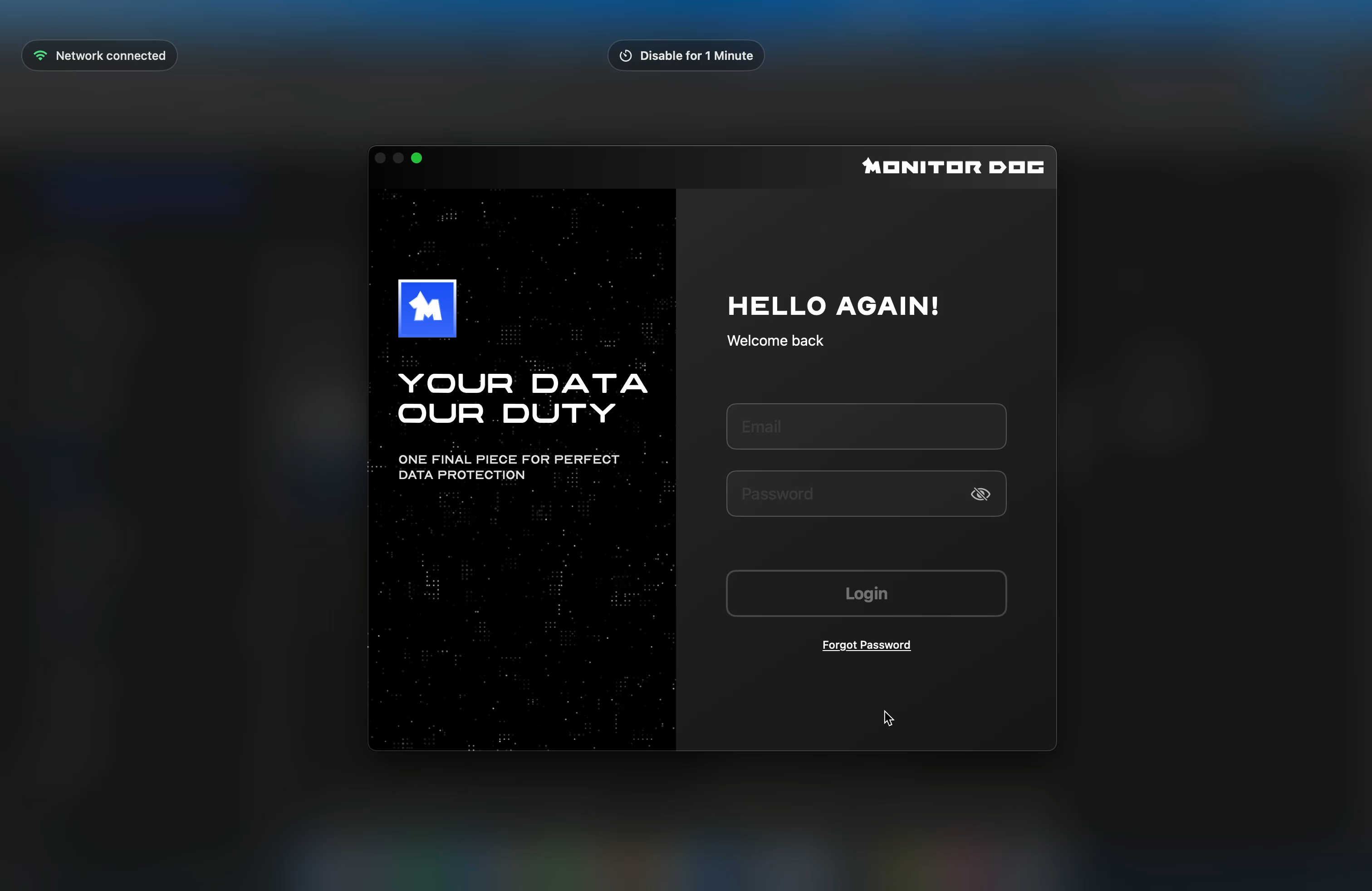
The MonitorDog Agent provides a feature that allows temporary access to a device without logging in. This is useful when login is not possible or when you need to handle a quick task without logging in.
Clicking the button at the top grants access for 1 minute, and the screen during that time is automatically recorded and sent to the administrator. When login is completed, Temporary Access ends automatically and screen recording also stops.
Behavior and Details
- When you try to access the device while logged out of the MonitorDog Agent, the login screen appears together with the Temporary Access overlay.
- Clicking the top button grants device access for 1 minute and displays a timer in the upper left.
- During this period, the user's screen is automatically recorded and sent to the administrator.
- When the timer ends, device access is restricted again and the login screen is displayed.
- When login succeeds, Temporary Access is released and screen recording stops automatically.
Q. Is the webcam also recorded?
A. Temporary Access records only the screen. The webcam is captured only when an event is detected.