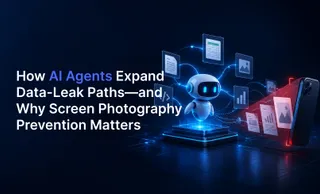
A recent cheating case in South Korea’s tax accountant examination involved miniature cameras and generative AI. Reports of university exam cheating have also involved smart glasses and AI. Beyond the questions of exam fairness, these incidents expose a familiar risk for enterprise security teams: information intended to remain within a restricted space can be captured by a camera and transmitted outside it. Yonhap News Agency, YTN
Using cameras to obtain information is nothing new. But smaller camera devices, combined with AI that can read and analyze images, are reducing the effort needed to extract and use that information. Organizations should reassess their screens and documents with this shift in mind.
Three Key Takeaways
- Small camera devices combined with generative AI are lowering the barrier to capturing visible information and using it outside an organization.
- File and network controls can leave a separate gap around screen photography using personal devices.
- Organizations can strengthen device-entry rules and external AI policies, while adding screen security such as MonitorDog to respond to smartphone photography attempts.
A Data Leak Can Start with a Single Camera
People need to see sensitive business information to do their jobs. Customer service agents review customer records, researchers open design drawings, and finance staff examine unpublished financial results. Even when storage is encrypted and access is tightly controlled, information must become readable during everyday work.
When someone photographs that screen with a personal device, the information moves from a company-managed system to that device. There is no need to download a file on the work PC or attach it to an email. Capturing the displayed content as an image creates another path for information to leave.
Permission to view information does not automatically include permission to photograph it and send it elsewhere. A leak can begin on an authorized user’s screen. This is why enterprise security also needs to address visual hacking: obtaining visible information by observing or photographing screens and documents.
AI Also Makes Captured Information Easier to Use
Obtaining photographs is only part of the process. Reading and organizing their contents still takes time. Retyping dozens of tables or finding and categorizing relevant details in technical documents requires additional work.
Generative AI that understands images can assist with some of that work. It can extract entries from photographed tables, summarize documents, and organize information scattered across multiple images. Recognition errors and incorrect interpretations remain possible, but the effort of transcribing everything manually can be reduced.
For an organization, this means a leaked photograph may not remain just a photograph. A customer list in an image could become structured data, or technical material could be turned into a document highlighting its key details. These possibilities make photography more than a simple policy violation.
A camera can be the means of obtaining information, while AI can be the means of putting it to use. Security teams need to consider the risk created when the two are connected.
Smaller Devices Expand Security Blind Spots
It is easy to picture someone holding up a smartphone to photograph a screen. When cameras are built into glasses or smaller devices, however, the range of devices staff must assess grows. Capabilities vary by device, but smartphone-entry rules alone cannot be assumed to cover every photography path.
If security policies fail to keep pace, devices not previously restricted may enter areas where sensitive information is visible. Organizations should review how camera-equipped devices are managed in meeting rooms, research areas, and customer-data workspaces. Remote work environments, where the company has less direct control over physical surroundings, also need attention.
Miniature and concealed cameras can be particularly difficult to identify by their appearance or by visible photography behavior. They require separate physical controls, including device-entry rules for restricted areas, access procedures, and on-site checks.
External AI policies need the same review. A rule that prohibits pasting documents or source code into an AI service should also address uploading photographs containing that information. Alongside deliberate exfiltration, an employee photographing a work screen to ask AI for help can also transmit information outside the organization.
Add Screen Protection to File Protection
Data loss prevention (DLP) and access controls are important safeguards. They control paths such as file copying, external uploads, and removable storage, while restricting access to people who need the information for their work.
A camera on a personal device, however, does not use the work PC’s screen-capture function. Taking the photograph does not itself create a file-copy or upload event on that PC. If the image is transmitted over a personal cellular connection, it may also bypass the company network. Controls focused on digital channels have limited visibility into this part of the process.
Security reviews therefore need to examine not only how information is stored and transmitted, but also who can capture the information displayed on a screen, and with which devices.
| Area to Protect | Relevant Controls |
|---|---|
| Information access | Least privilege, masking unnecessary personal data, limiting query scope |
| File and network transfers | DLP, upload controls, removable-storage policies |
| Device entry and physical spaces | Entry rules for camera-equipped devices, access procedures, on-site checks |
| Work screens | Reducing screen exposure, detecting and responding to smartphone photography attempts |
| External AI inputs | Usage rules and approved services covering text, files, and images |
Connecting these controls lets an organization reduce a risk at more than one point. Device-entry controls should operate alongside measures that respond to observable smartphone photography attempts during work.
Complementing Screen Security with MonitorDog
MonitorDog uses a PC’s webcam and vision AI to detect smartphone photography attempts and unauthorized viewing of the screen. It can lock the screen according to policy to reduce further exposure. This adds a response to behavior in front of the screen alongside existing file and network protections.
MonitorDog’s role here is to respond to smartphone photography attempts and people approaching the screen within the webcam’s view. This does not mean it supports detection of the miniature cameras, concealed cameras, or smart glasses mentioned earlier.
Smartphone screen photography is a risk worth reviewing in customer service work with continuously displayed customer records, research and development involving sensitive technical material, and remote work where surroundings are harder to manage directly. Deploying MonitorDog can help complement controls for this path.
When evaluating deployment, verify the detection coverage for smartphone photography attempts and the screen-lock behavior in the actual workspace. The webcam’s field of view, lighting, and obstructions can affect detection conditions. Use the scope verified in your environment alongside device-entry controls and AI usage policies.
Explore MonitorDog’s visual threat detection and response
As Leak Paths Expand, Protection Must Expand Too
Recent exam cheating cases warn that information within restricted spaces can be captured with small camera devices and used through external AI. Organizations also need to examine what can happen after important information appears on a screen.
If file transfers are already controlled, the next place to review is the screen displaying those files. Who can see it? Are camera-equipped devices nearby? What response follows a photography attempt?
As data-leak paths expand, security coverage must expand with them. Review camera-device entry controls and external AI policies, and consider MonitorDog to complement your response to smartphone photography attempts and unauthorized viewing of work screens.
Contact MonitorDog about deployment
References
- Yonhap News Agency, Police search the home of the top tax accountant exam scorer in AI cheating investigation (November 18, 2026; Korean)
- YTN, University exam survey identifies 19 AI cheating cases, including at Seoul National and Yonsei universities (November 17, 2026; Korean)