Personal Blocked Programs
This page explains the features of the Personal Blocked Programs management section in MonitorDog Admin.
You can configure blocked programs for individual users through this page, allowing MonitorDog to detect installation, execution, or usage of those programs and prevent them from being used.
Data Table
This table displays blocked programs applied to an individual user. You can view each program's type, current review status, activation state, and description.
Q. I added a blocked program, but why is it still marked as "In Review" instead of "Approved"?
A. Monitoring does not begin immediately after a blocked program is registered. The submitted program first goes through a file review process by the MonitorDog team, and monitoring is enabled only after that review is completed. Once the review is finished, the registering admin will receive the result by email.
Blocked Program Statuses
- In Review: The registered blocked program is currently being reviewed by the MonitorDog team.
- Approved: The registered blocked program has been approved by the MonitorDog team and is now monitored by the MonitorDog Agent.
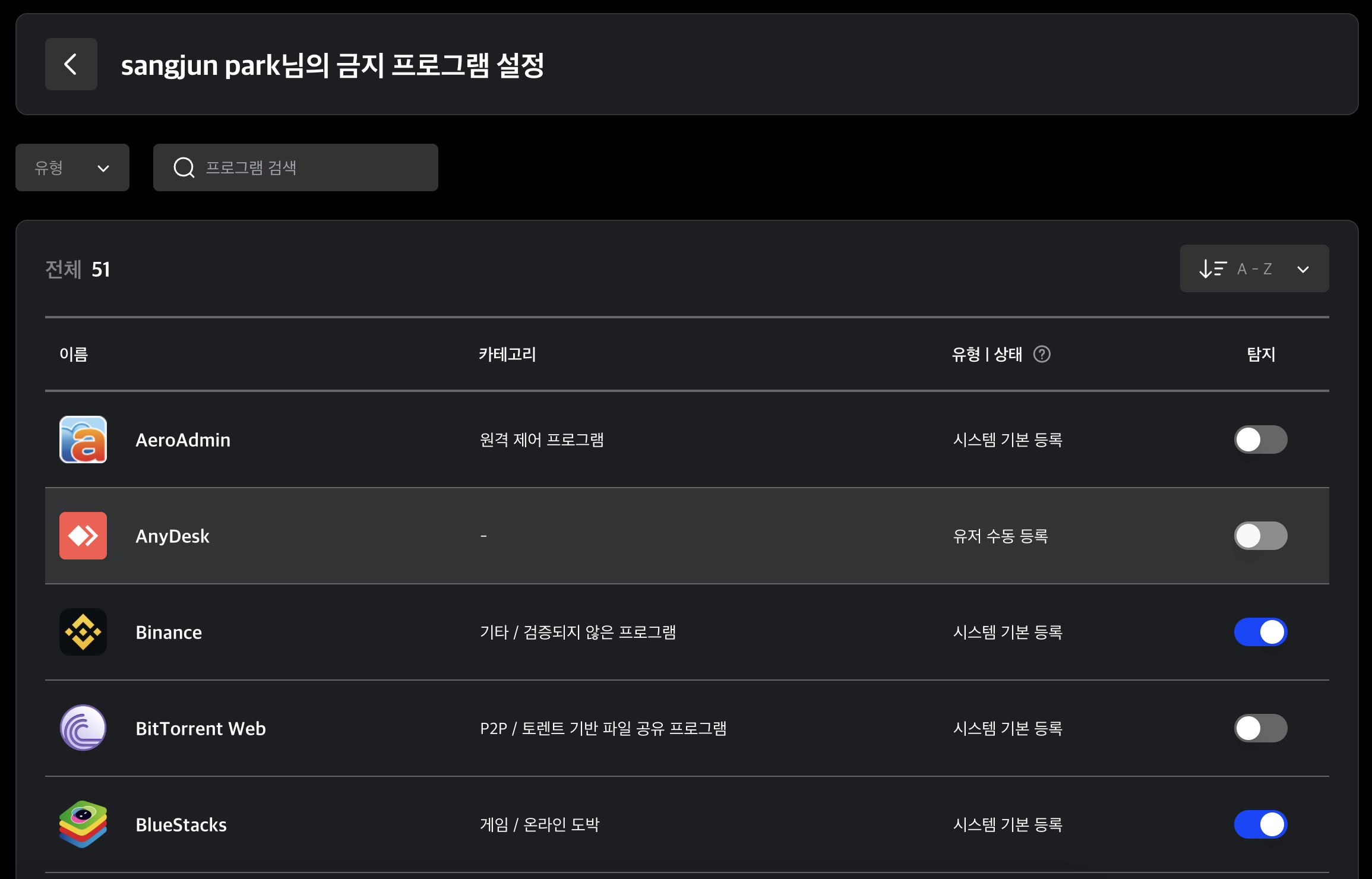
Blocked Program Types
- System Default: A blocked program predefined by the MonitorDog system. It cannot be deleted.
- User Added: A blocked program added by an admin. It can be deleted.
Table Filters
- Use the dropdown at the top of the table to filter data by program type.
- Search for programs by entering a keyword included in the program name.
- You can sort the table by registration date or in alphabetical order.
Q. Why is this different from the organization-level setting?
A. The settings on this page are personalized settings for an individual user. They take priority over the organization-level settings and will only match the organization settings if those settings were applied in bulk.
Q. The program is enabled, but its activity is not being detected.
A. Detection is performed according to the program detection policy, separately from whether the program is simply marked as enabled. If it still does not work even though the policy is active, please contact the MonitorDog team.