Deletion Logs
This page describes the components of the deletion log data table and the key features of the detail page.
If the log deletion feature is enabled in the MonitorDog organization settings, log data can be deleted, and the history of these deleted logs can be reviewed on the "Deletion Logs" page.
Log Table
The log table provides a list of deleted logs. You can review information about the administrator who performed the deletion, the timestamp of the action, the IP address, and the reason for deletion.
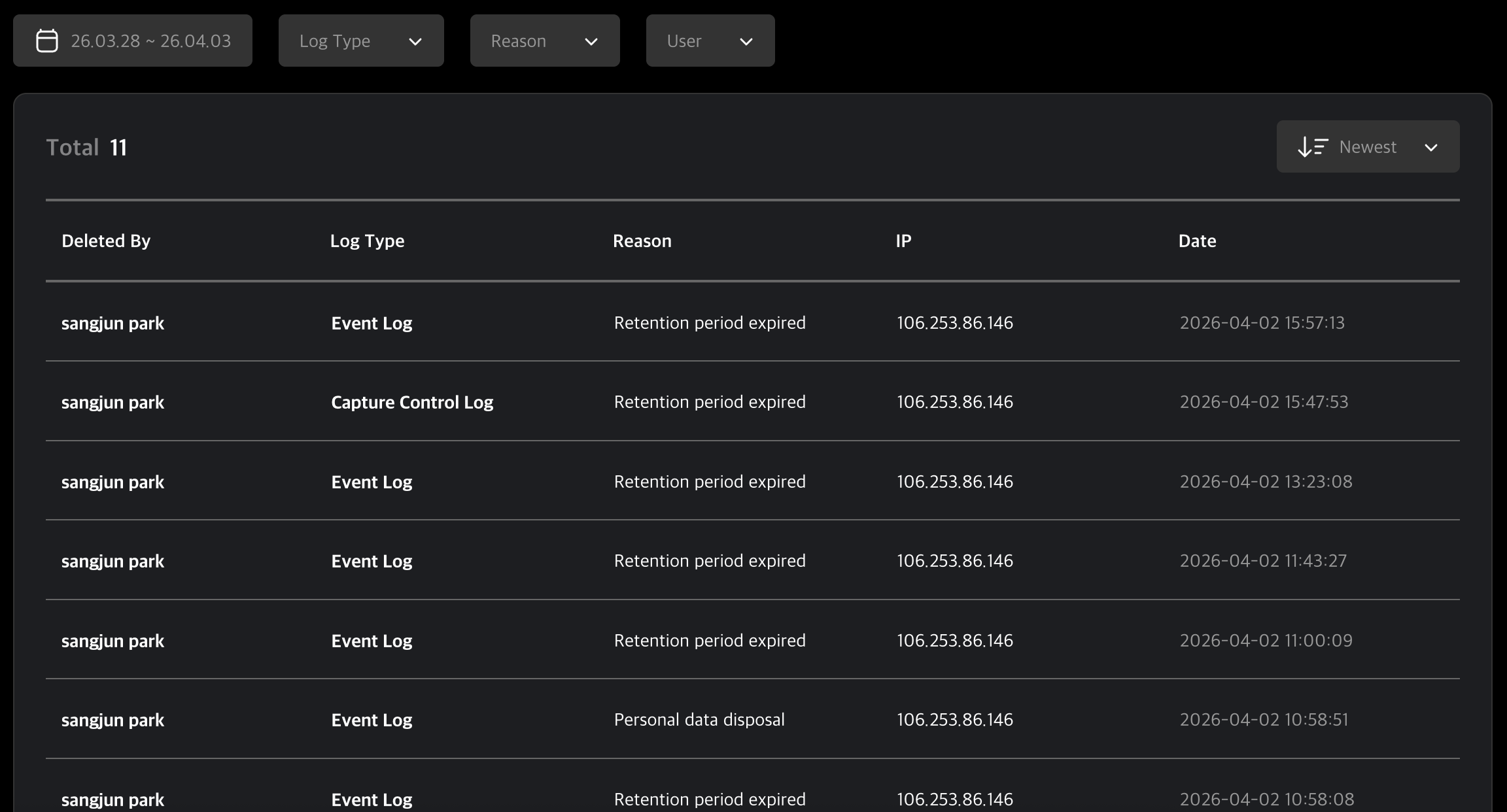
Table Filters
Using the filters at the top of the table, you can precisely search for data by selecting the period, log type, and target user.
Filter Features
- Period Setting : Set a specific time range to view deletion history that occurred within that period.
- Log Type : Filter the list by selecting the type of logs that were deleted.
- Reason : View log lists based on the selected reason for deletion.
- User : Search and view deletion history for a specific user.
Deletion Log Detail Page
Clicking on an individual log in the table will take you to the detail page. Here, you can review the specific details of the deletion and share the log information with other administrators if necessary.
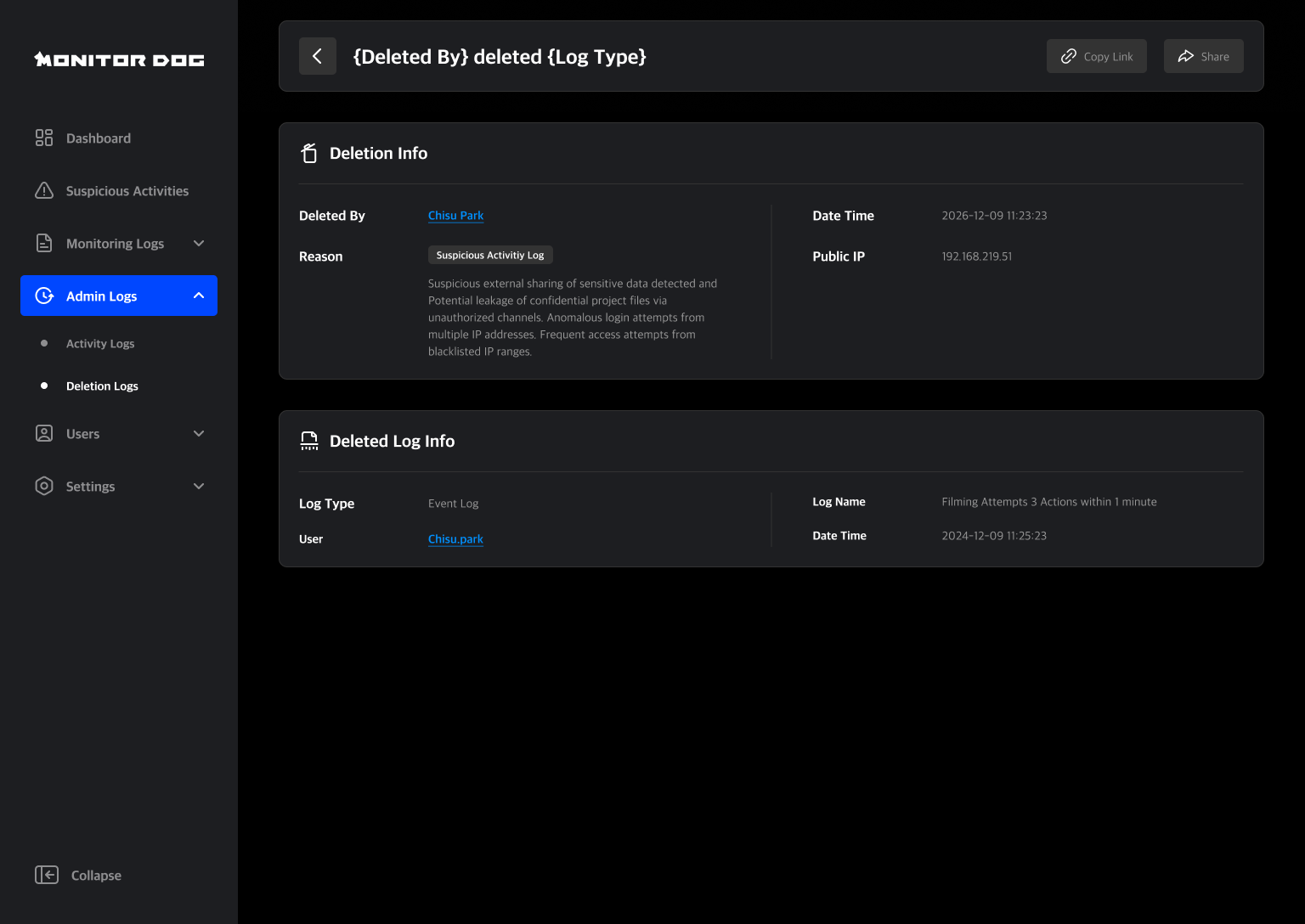
Deletion Info
This section contains information regarding the deletion action itself. You can review the administrator who performed the deletion, the reason, detailed reason, processing date/time, and the access IP.
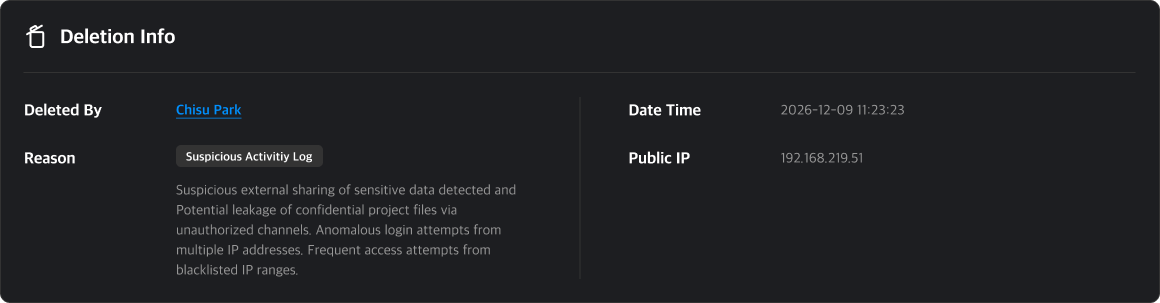
Types of Deletion Reasons
- Retention Period Expired
- Personal Data Disposal
- Storage Space Optimization
- Error/Abnormal Log Cleanup
- User Deletion Request
- Others
Deleted Log Info
This section contains information regarding the original log that was deleted. You can check the type of the deleted log, the user, the log name, and the actual time of occurrence.

Q. Can deleted logs be recovered?
A. Once a log has been deleted, it cannot be recovered. Please be careful to avoid data loss when deleting logs.
Sharing
There are two ways to share an Deletion Log:
- Copy Link: Useful for sharing outside the system.
- Direct Share: Share with specific admins within MonitorDog.
You can share with multiple users at once. This action generates a notification for recipients.
