Screen Security Solution Deployment Guide: Policy Design by Org Size

Many organizations recognize the need for screen security but struggle to know where to start. A 50-person startup and a 5,000-person enterprise cannot follow the same deployment playbook. The right approach depends on organizational size, industry, and risk profile.
3-Line Summary
- Screen security deployments are most effective when approached in four phases: assessment, policy design, pilot, and full rollout.
- Smaller organizations should prioritize fast deployment and simple operations; larger organizations need role-based policy segmentation and compliance alignment.
- Technology deployment must be paired with policy documentation and employee training to produce meaningful security outcomes.
Before You Deploy: Start with a Current-State Assessment
Before selecting a solution, you need to understand your organization's risk landscape. Even when the underlying threat is the same, priorities shift depending on what data is at risk, who handles it, and in what environment.
Classify the Data You Need to Protect
The starting point is cataloguing what types of information are regularly displayed on screens and actually require protection. Customer personal data, financial records, HR files, pre-announcement earnings data, and R&D materials are prime candidates — information where a leak would trigger legal liability or material business harm.
Once data is classified, the job roles that handle it follow naturally. Finance, HR, R&D, and customer-facing teams are typically first in line for screen security coverage.
Identify Gaps in Your Existing Security Posture
Most organizations already operate some combination of DLP, endpoint security, or network segmentation. When deploying a screen security solution, the key is identifying what those existing controls cannot cover.
Understanding how screen security differs from traditional DLP makes it clear that screen security adds a complementary layer rather than replacing existing tools. Threats like smartphone-based screen photography fall entirely outside what DLP can detect — and that gap is precisely where screen security solutions operate.
Deployment Strategy by Organization Size
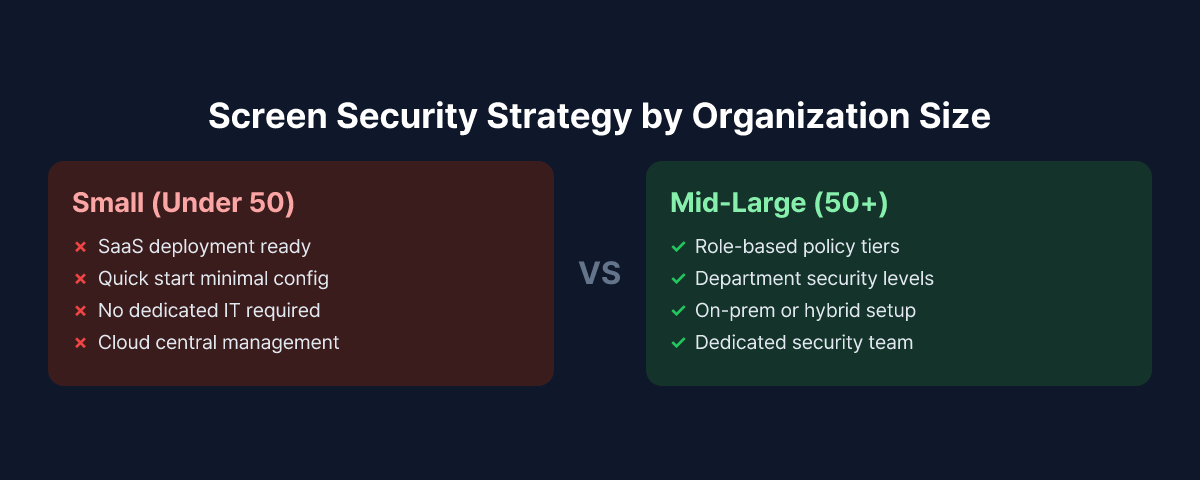
Small Organizations (Under 50 Employees): Fast Start, Simple Operations
The defining constraint for small organizations is the absence of dedicated security staff. IT responsibilities are often shared, and the time available for security operations is limited. In this context, a screen security solution needs to be easy to deploy and easy to run.
A cloud-based SaaS model is the natural fit. There is no infrastructure to provision — deploying an agent is all it takes to get started. Policy configuration can begin with sensible defaults and be tuned over time. Starting with the most straightforward policy — "detect smartphone, blank screen, alert admin" — and iterating from there is the most realistic approach.
Reviewing security logs should fit into a normal workday without friction. Event notifications delivered via email or messaging apps, without requiring a dedicated console, suit the way small teams actually operate.
Mid-Size Organizations (50–300 Employees): Role-Based Policy Segmentation
Mid-size organizations face a more complex picture. Risk levels vary by department, and data access rights differ by role and seniority. Applying a single organization-wide policy often results in either insufficient coverage or a high false-positive rate that disrupts legitimate work.
A role-based approach is more effective. Higher-sensitivity settings apply to high-risk departments — finance, HR, R&D — while general teams operate under lighter policies. Separate policy profiles for executives or specific job grades may also be warranted.
A pilot phase matters more at this stage. Before a full rollout, select one high-risk team, run the solution for two to four weeks, tune the false-positive rate, and gather employee feedback. Skipping this step and pushing a company-wide deployment without calibration is a reliable way to generate complaints and pushback in the first week.
Large Organizations (300+ Employees): On-Prem, Compliance, and Integration
For enterprises, the first questions in a screen security deployment are typically about deployment architecture and data residency. In regulated industries — financial services, government, defense — there is often a requirement that security event data be retained on internal infrastructure. This makes on-premises deployment support a non-negotiable requirement.
Integration with existing security infrastructure is also a priority. Feeding screen security events into a SIEM or SOAR platform lets security teams analyze threats from a unified view rather than switching between consoles. At this scale, enterprise-grade onboarding and ongoing support are expected.
On the compliance side, CISO-level insider threat planning calls for early alignment with legal and compliance teams to verify that the audit logs and event records generated by the screen security solution satisfy applicable requirements — whether under data protection law, financial regulation, or sector-specific mandates.
Key Elements of Screen Security Policy Design
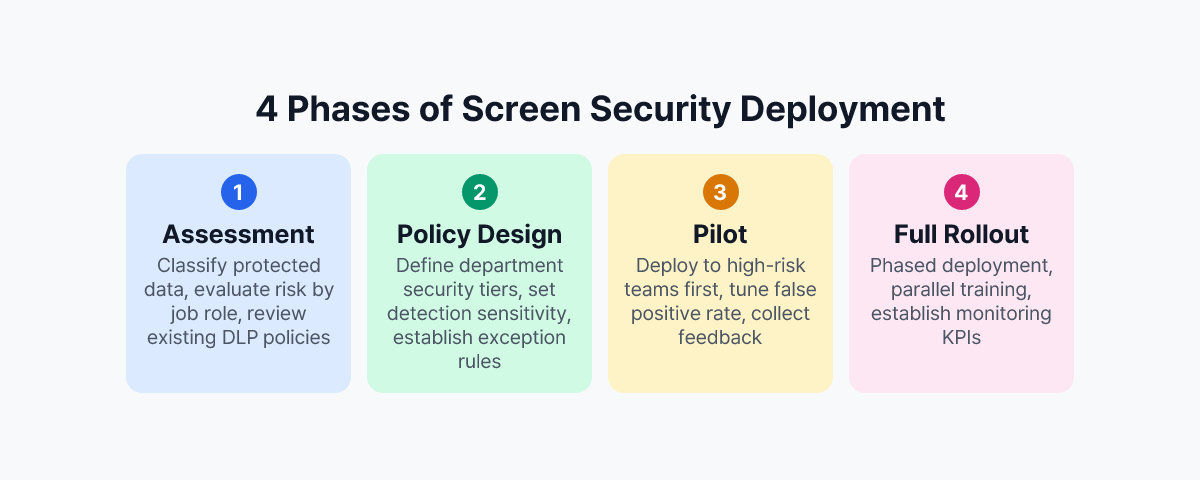
Installing a solution does not make screen security complete. The policies that define what the system detects and how it responds are what determine actual protection levels.
Balancing Detection Sensitivity Against False Positives
Smartphone detection is one of the core capabilities of a screen security solution. Set sensitivity too high and the system will fire alerts whenever a phone is in the room — during a phone call, while checking messages, or simply because a device is visible on a desk. Set it too low and genuine photographing attempts go undetected.
The right sensitivity level depends on the environment. Customer-facing spaces with frequent visitors warrant higher sensitivity; internal team areas with no outside access can operate at lower thresholds. Zone-specific policies account for this variation rather than forcing a single setting across the entire organization.
During the pilot period, classifying actual false-positive incidents and adjusting detection thresholds is time well spent. This process is what yields a calibrated configuration that catches real threats without disrupting normal work.
Defining the Response Workflow
What should happen the moment a threat is detected needs to be defined in advance. A standard response workflow includes:
- Immediate screen blanking: the display is obscured as soon as a detection event fires, stopping further exposure
- Event logging: timestamp, PC identifier, and a capture of the detection event are stored for later review
- Admin notification: a real-time alert is sent to the designated security contact
- Employee notification: a message appears on the employee's screen explaining what happened
Deciding how much of this workflow to automate, and at which point human judgment needs to be involved, should be written into policy so that responses are consistent rather than ad hoc.
Policies for Remote Work Environments
Remote work screen security requires a separate policy track. Without the physical controls that exist in an office — access restrictions, CCTV, security zones — the screen security solution carries more of the load. Agents should be deployed to remote workers on the same basis as in-office staff, with the option to apply detection policies tuned for a home environment rather than simply replicating office settings.
Pre-Deployment Checklist
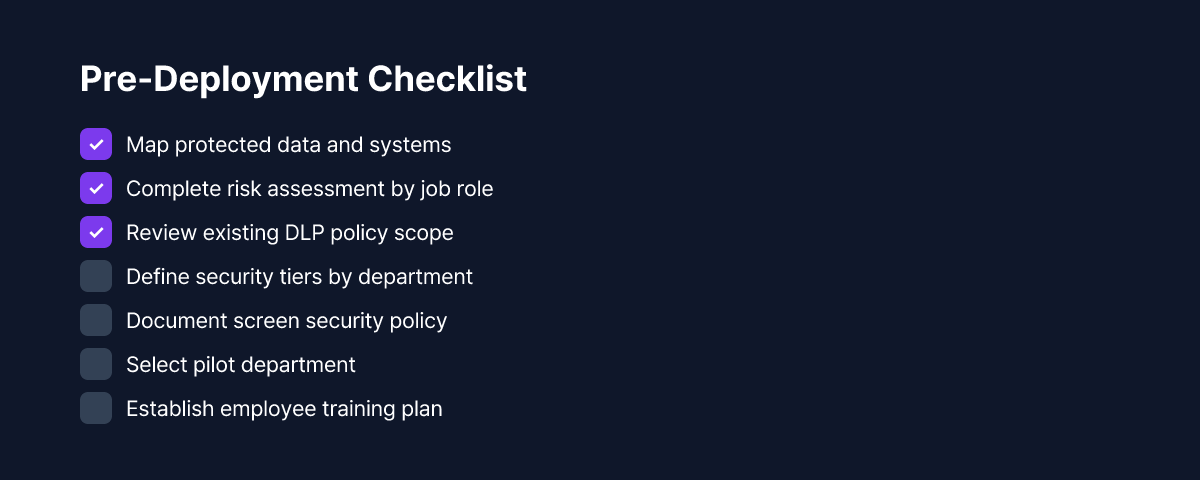
Working through the following items before committing to a deployment makes everything that follows go more smoothly.
- Document the types of protected data and the job roles that handle them
- Map the scope of existing DLP and endpoint security policies (identify overlaps and gaps)
- Decide on deployment model: cloud SaaS vs. on-premises
- Select the pilot department (a small, high-risk team is the recommended starting point)
- Review privacy and compliance requirements: employee consent, event data retention periods, applicable regulations
- Plan employee communication: what monitoring is being introduced, why it is being introduced, and what it covers
Employee communication is easy to treat as a formality, but it has a real effect on deployment outcomes. Explaining the actual risks of visual hacking with concrete examples — rather than citing abstract policy language — tends to produce much better understanding and cooperation.
Conclusion: The System That Matters Is the One You Actually Operate
Deploying a screen security solution is not an end in itself. What determines real protection levels is the policy you run, how you handle detected events, and how you refine the configuration over time.
The right starting point matches the reality of your organization. Small teams can move quickly with default settings and adjust as they learn. Mid-size and large organizations benefit from role-based policies and phased rollouts. Across all sizes, policy documentation and employee education are prerequisites for the technology to work.
MonitorDog supports flexible deployment from small-team SaaS to enterprise on-premises, applying through a single agent installation with no infrastructure requirements for cloud deployments. The dashboard gives a consolidated view of screen security events across the organization. To see how it works in your actual environment, request a free demo.
References
- Personal Information Protection Commission (Korea), "Personal Information Processing Policy Guidelines" (2024)
- Ponemon Institute & DTEX Systems, "2025 Cost of Insider Risks Global Report" (2025)
- Financial Security Institute (Korea), "Financial Company Insider Data Leak Prevention Guidelines" (2023)