5 Reasons Screen Security Matters in the Remote Work Era

As remote work becomes the norm, the spaces beyond the security team's control have expanded dramatically. An employee's home, a coffee shop, a coworking space — none of these offer the same physical security as an office. And right in the middle of these spaces, a monitor displaying company secrets stays on.
TL;DR
- Remote work environments create security threats absent from offices — family foot traffic, video call exposure, and personal device mixing.
- Traditional DLP controls digital and network pathways, but physical screen exposure falls outside its detection scope.
- To reduce remote work data leaks, organizations must establish screen security measures alongside expanded DLP policies.
The Security Blind Spot Created by Remote Work
Since the rapid expansion of remote work following COVID-19, many organizations have adopted VPNs, strengthened endpoint security, and expanded cloud DLP. Yet one area remains structurally vulnerable: the screen itself.
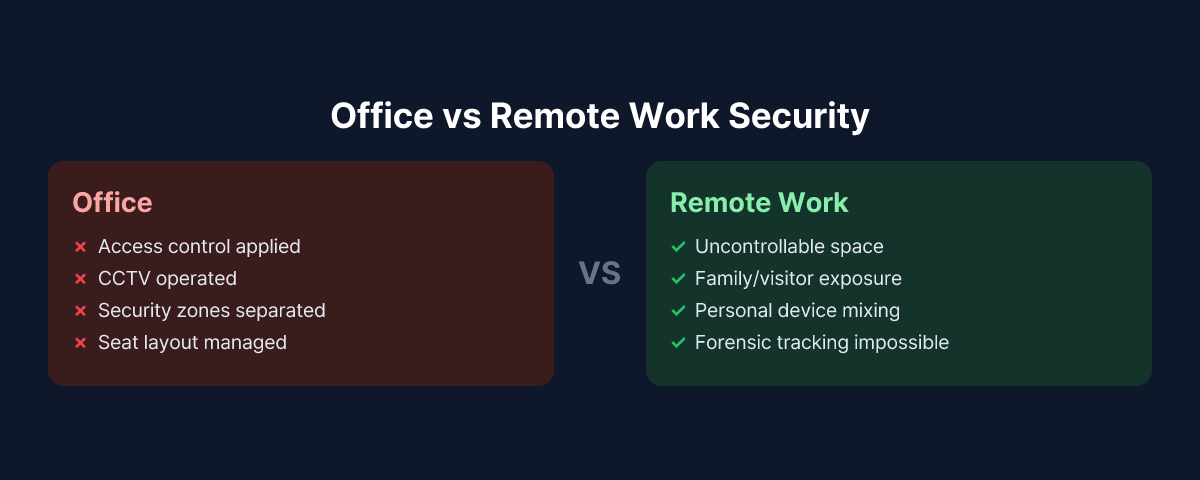
In offices, seating arrangements, access control, CCTV, and security zone separation help limit screen exposure to some degree. None of these exist in remote work environments. Whether a family member walks by, a delivery person visits, or a video call background is exposed — company policy has no way to intervene.
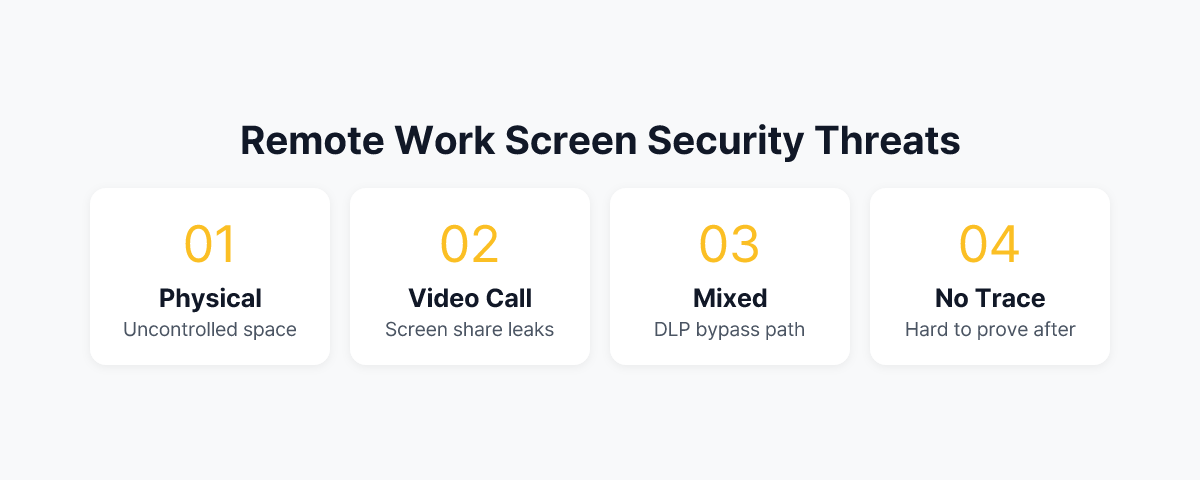
This article examines why screen security is easily overlooked in remote work settings, and explores five threat scenarios that can lead to real incidents.
Reason 1. Uncontrollable Physical Environment
In an office, you can generally track who is in which area and who passes near screens. Security zones require access cards, and unfamiliar faces stand out immediately.
Remote work environments are different. An employee's children walk through the background, a spouse works in the same room, and visitors may arrive unannounced. When handling sensitive information — financial data, HR records, customer personal information — this environment can lead to unintended data exposure at any moment.
What makes this threat unique is that it occurs without malicious intent. A family member glancing at a screen, a document briefly visible during a video call — these incidents leave no trace in security logs.
Reason 2. Video Calls Create New Exposure Pathways
In remote work, video meetings become routine. And video calls represent a new vulnerability in screen security.
The most common scenario is screen sharing. While sharing a presentation, other tabs or windows get exposed, or someone forgets to stop sharing before opening a sensitive file. Background exposure is another issue — a calendar, whiteboard, or another monitor's content may be captured behind the camera.
A more structural problem lies in the meeting participants themselves. While some meetings consist only of internal staff, others include partners, clients, and external consultants — requiring extra caution about what appears on screen. When meeting recording is enabled, this exposure risk becomes permanently preserved.
Reason 3. Personal Device Mixing Creates Gaps in DLP Policies
It is not uncommon for remote workers to use personal smartphones, tablets, and PCs alongside company devices. Corporate and personal devices sit in the same space, connected to the same Wi-Fi network.
In this situation, DLP policies are unintentionally bypassed. Even if transferring a specific file externally from a company device is blocked, photographing that screen with a personal smartphone sitting nearby evades every DLP tool. Personal devices fall outside the corporate endpoint agent's control, and the act of photographing leaves no trace in network logs.
This is why screen security must be treated separately from DLP in remote work environments. DLP blocks digital pathways, but physical camera capture is not a digital pathway.
Reason 4. Incident Investigation Is Virtually Impossible
When a data leak occurs in an office, investigators can gather clues from multiple sources — CCTV footage, access logs, network logs, and more. When a screen-exposure-based leak happens in a remote work setting, the situation is entirely different.
Even if a screen is photographed or viewed without authorization, there is almost no way to prove it after the fact. DLP logs show nothing, and network logs reveal no anomalies. There is no way to retroactively confirm what screen an employee had open at a specific time or who was nearby.
As a result, most screen exposure incidents in remote work environments are either detected too late, or pass completely unnoticed. The difficulty of forensic investigation means that preventive systems become even more critical.
Reason 5. Compliance Obligations Are Not Waived for Remote Work
Most information security compliance requirements — data protection laws, financial regulations, healthcare information protection rules — do not distinguish where information is processed. If an employee exposes customer data to a third party while working remotely, the legal liability is identical to an office-based incident.
This point is especially important for organizations that handle large volumes of sensitive information, such as financial institutions, healthcare providers, and government agencies. A remote employee leaving a screen displaying customer account information or patient records unattended, or processing such information in a space shared with family — these situations can be interpreted as regulatory violations in themselves.
From a compliance perspective, establishing screen security policies and maintaining records for remote work environments is not optional.
How to Approach Remote Work Screen Security
Summarizing all five reasons, the screen security challenge in remote work cannot be resolved by technology alone. Policy, education, and technology must work together.
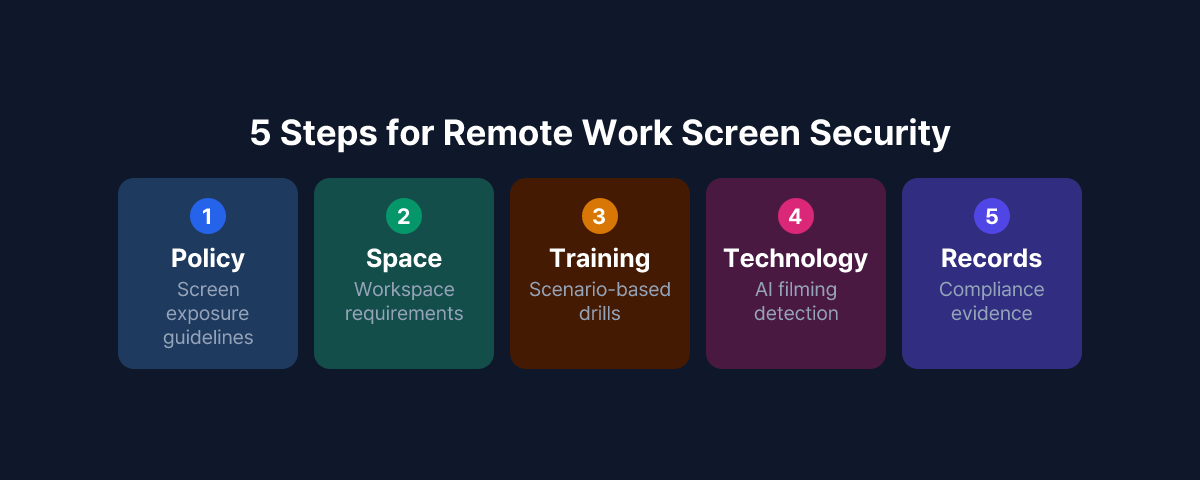
On the policy front, the starting point is separately documenting screen exposure prevention guidelines for remote work. Define the space requirements for handling sensitive work (private rooms, camera placement, etc.) and provide standards for screen sharing procedures and background management during video calls.
On the education front, provide scenario-based training so remote employees understand the specific risks of screen exposure. Rather than abstract warnings like "your family might see," explaining actual incident patterns and consequences is more effective at driving behavioral change.
On the technology front, beyond extending DLP policies for remote work environments, organizations can consider deploying solutions that detect the surrounding environment near screens in real time. MonitorDog uses employees' PC webcams to detect smartphone photographing attempts and abnormal screen access behavior through AI, delivering instant alerts and event records to administrators. This approach technically covers the blind spot of physical photography that traditional DLP cannot reach.
Now that remote work has established itself as a permanent work arrangement rather than a temporary exception, screen security must be treated as a separate framework — not merely an extension of office security.
To see how MonitorDog's remote work screen security features work, try a free demo to experience the detection process in a real environment.
References
- Personal Information Protection Commission, "Personal Information Processing Policy Guidelines" (2024)
- Ponemon Institute & DTEX Systems, "2025 Cost of Insider Risks Global Report" (2025)
- 3M & Visual Privacy Advisory Council, "Global Visual Hacking Experiment" (2016)