DLP Solution Comparison: Traditional DLP vs AI-Powered Screen Security

A significant share of enterprise security budgets goes toward DLP solutions. Yet organizations with DLP in place still experience data breaches. This article breaks down what traditional DLP solutions actually cover, why AI-powered screen security takes a fundamentally different approach, and how the two can work together.
Summary
- Traditional DLP blocks data moving through digital channels — network, endpoint, and cloud — but cannot detect physical screen photography.
- AI-powered screen security analyzes the environment around the screen via webcam, catching smartphone filming attempts in real time through an entirely different mechanism.
- The two solutions protect against different threat vectors, making them complementary rather than competing.
What Traditional DLP Solutions Actually Do
DLP (Data Loss Prevention) detects and blocks sensitive data from leaving an organization through unauthorized channels. Solutions fall into three main categories.
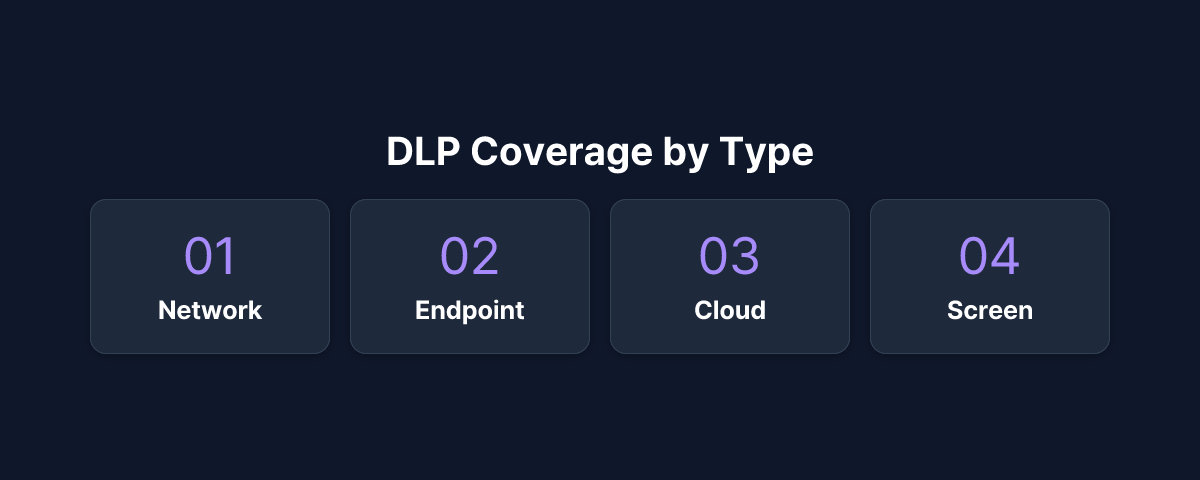
Network DLP
Network DLP inspects outbound traffic passing through the corporate network. Email attachments, cloud storage uploads, web form submissions, and FTP transfers are all within scope. Content inspection policies flag patterns such as credit card numbers, social security numbers, or specific file types — triggering a block or alert when a match is found.
Endpoint DLP
Endpoint DLP installs an agent on individual devices to govern local actions. USB drive copies, print jobs, screenshot capture, clipboard operations, and application usage controls fall under this category. Unlike network DLP, endpoint solutions remain effective even when a device is offline.
Cloud DLP
Cloud DLP applies policies directly within SaaS platforms such as Google Workspace, Microsoft 365, and Salesforce. Because it integrates with cloud services rather than intercepting network traffic, it governs sharing and access even when users work entirely within those platforms.
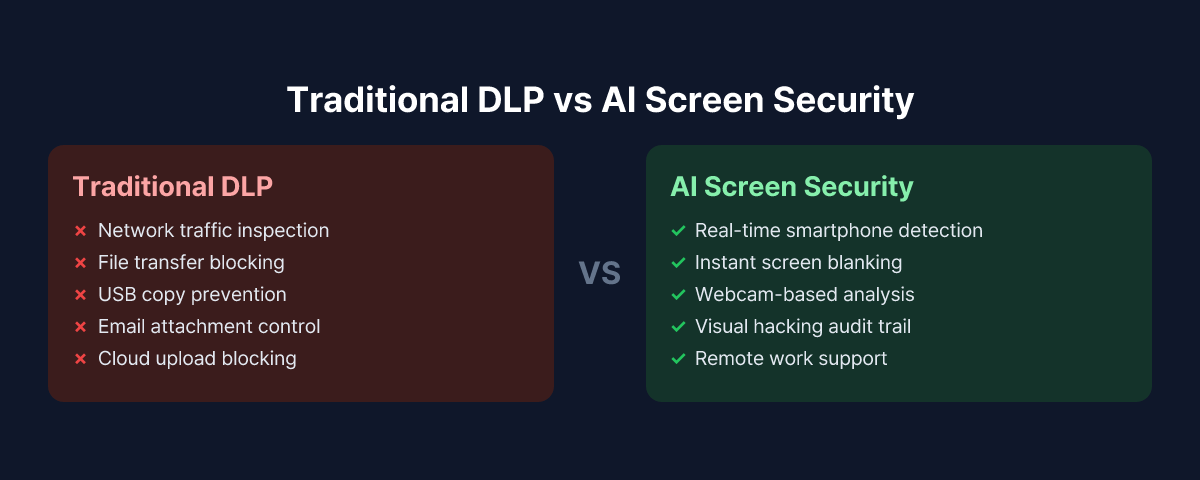
All three types share a common assumption: data must travel through a digital channel to be intercepted.
Where Traditional DLP Falls Short
That assumption breaks down when data leaves an organization through a physical act rather than a digital transfer.
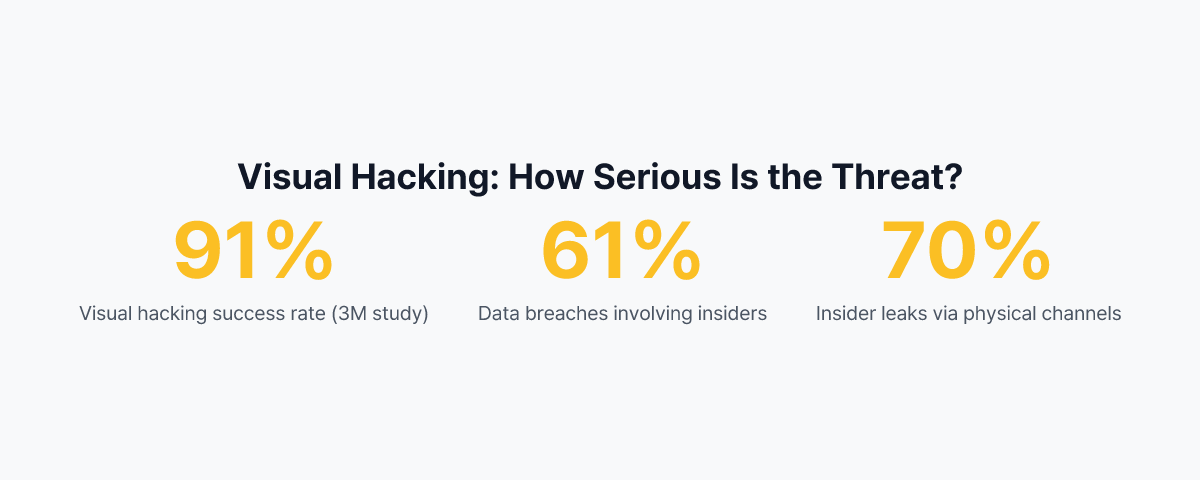
A study conducted by 3M in real U.S. office environments found that 91% of visual hacking attempts succeeded. In half of the cases, the victim never realized a security violation had occurred. The danger of visual hacking lies not just in the ease of execution but in how difficult it is to detect after the fact.
The following threat types fall outside the detection range of any traditional DLP system.
Smartphone screen photography: An employee opens a screen showing sensitive customer records, then photographs it with a personal smartphone. No data traverses the corporate network. No file system access is recorded on the company device. The DLP log shows nothing — yet the data is already gone.
Screen exposure during video calls: During a remote meeting, a sensitive document briefly appears on a shared screen, or a webcam captures confidential materials in the background. Since no file transfer or clipboard action occurs, this goes completely undetected by DLP.
Shoulder surfing: A visitor, external contractor, or colleague from another department looks over someone's shoulder to read the screen. This is a physical act — no digital security tool can sense it.
These threat types are collectively known as visual hacking. According to the Ponemon Institute's 2025 Cost of Insider Risks report, the average cost of an insider-related incident reaches approximately $16.5 million per event. Physical-channel leaks are especially costly because they are difficult to trace through digital forensics.
How AI-Powered Screen Security Works
AI-powered screen security starts from a completely different premise. Rather than monitoring where data travels, it monitors what is happening in front of the screen.
In practice, the solution uses the employee's webcam to continuously analyze the immediate environment. When an AI model detects a smartphone being pointed at the screen — based on device shape, angle, and hand posture — it immediately blanks the screen and sends an alert to the security team. The entire process is automated.
MonitorDog, for example, blanks the screen the moment a detection occurs to minimize further exposure, then records a timestamp, the affected workstation, and a webcam snapshot of the event. Security teams can review the incident history in a dashboard and use the records for audit purposes when needed.
There is also a clear boundary to what AI screen security handles. File transfer controls, email attachment blocking, and USB copy prevention remain the domain of traditional DLP.
Side-by-Side Coverage Comparison
| Protection Area | Network DLP | Endpoint DLP | Cloud DLP | AI Screen Security |
|---|---|---|---|---|
| Email attachment exfiltration | O | - | O | - |
| Cloud storage uploads | O | - | O | - |
| USB copy | - | O | - | - |
| Screenshot / screen capture | - | O | - | - |
| Clipboard exfiltration | - | O | - | - |
| Smartphone screen photography | X | X | X | O |
| Shoulder surfing | X | X | X | Partial |
| Screen exposure during video calls | X | X | X | O |
| Remote / work-from-home support | Limited | O | O | O |
| Offline environments | X | O | X | O |
Even with all three traditional DLP types deployed, smartphone screen photography and visual hacking remain unaddressed. AI screen security fills that gap.
A Complementary, Not Competing, Relationship
Traditional DLP and AI screen security are not substitutes for each other. Because they protect against different threat vectors, neither can replace the other.
In practice, financial institutions and public sector organizations typically keep their existing DLP infrastructure in place and layer AI screen security on top. Rather than replacing the current security stack, this approach closes the blind spot that DLP was never designed to cover — and does so without requiring organizations to overhaul what is already working.
The key principle is not about dividing coverage neatly between the two, but about letting each solution do what it does best. Traditional DLP governs high-volume data movement through digital channels, file transfer policies, and cloud access controls. AI screen security focuses on physical camera activity, screen proximity exposure, and visual leakage in remote work environments.
What to Evaluate Before Deploying
When running both DLP and AI screen security together, several factors are worth reviewing.
Data Classification and Prioritization
Start by identifying which data appears on screens and what level of sensitivity it carries. Roles with regular access to customer personal data, financial records, HR files, or R&D materials should be the primary deployment targets. For a detailed approach by organization size, see the Screen Security Deployment Guide.
Expanded Risk in Remote Work Environments
In office settings, physical controls such as CCTV, access management, and desk layout provide some baseline protection. Those controls disappear entirely in a remote work setup, widening the screen security blind spot that DLP alone cannot address. The 5 Reasons Screen Security Matters for Remote Work article covers the specific risk scenarios in more detail.
Compliance Requirements
Data protection laws and industry regulations — including personal data protection acts, financial security standards, and healthcare privacy rules — vary significantly by jurisdiction and sector. Before deployment, coordinate with legal and compliance teams to confirm that the audit logs and event records generated by the screen security solution satisfy applicable regulatory requirements.
Employee Notice and Transparent Operation
Because AI screen security uses the webcam, employees must be clearly informed about the purpose, scope, and data handling practices before monitoring begins. Organizations that skip this step risk damaging trust and creating internal friction that undermines the program's effectiveness.
Conclusion
DLP remains a foundational component of enterprise security, and it is effective at what it was designed to do: block data from moving through digital channels. But in a world where every employee carries a smartphone camera, physical screen photography is a threat vector that falls entirely outside the DLP design perimeter.
AI-powered screen security addresses this gap. When the two solutions are deployed together, organizations gain coverage across both digital and physical threat vectors — a defense posture that neither solution can achieve on its own. If your organization already has DLP in place, now is a good time to assess what it cannot see.
To see how MonitorDog works alongside an existing DLP environment, request a free demo to walk through real detection scenarios.
References
- Gartner, "Market Guide for Data Loss Prevention" (2024)
- Ponemon Institute & DTEX Systems, "2025 Cost of Insider Risks Global Report" (2025)
- 3M & Visual Privacy Advisory Council, "Global Visual Hacking Experiment" (2016)
- Personal Information Protection Commission (Korea), "Personal Information Processing Policy Guidelines" (2024)
Related Contents
Browse All Contents
Browse