What is Visual Hacking? A New Security Threat for Enterprises

What if someone is quietly filming an employee's monitor with a smartphone while they are working hard? Firewalls and encryption are powerless against this threat. This is Visual Hacking.
Many companies invest massive budgets in preparing for cyberattacks, yet they often overlook physical information leaks happening right before their eyes. In this article, we examine the definition of visual hacking, its actual risks, and realistic countermeasures that companies can take.
3-Line Summary
- Visual hacking is a physical attack that steals confidential information by filming or photographing monitor screens with smartphone cameras.
- In a 3M experiment, 91% of attempts were successful, and 68% went completely undetected.
- Existing DLP and security solutions cannot detect this attack, necessitating AI-based real-time detection technology.
What is Visual Hacking?
Visual hacking is the act of capturing confidential information by observing another person's screen, documents, or devices with the naked eye or a camera. Unlike technical hacking, it is executed without any malware or network penetration.
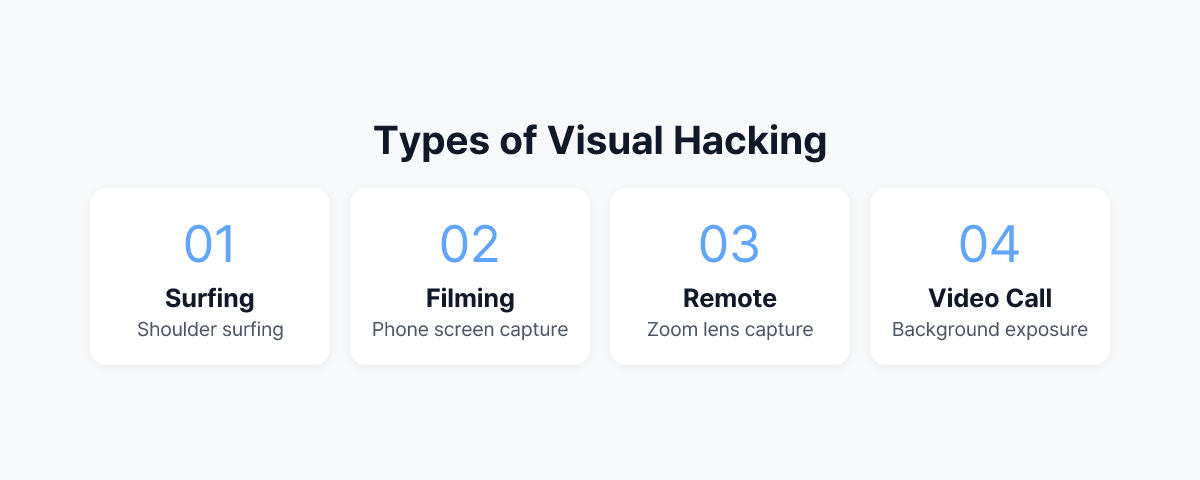
Representative types include:
- Shoulder Surfing: Directly looking at a screen from the side or behind.
- Smartphone Filming: Secretly filming or photographing the screen displayed on a monitor with a smartphone camera.
- Long-range Capture: Capturing screen content from a distance using a camera equipped with a zoom lens.
- Video Conference Exposure: Cases where confidential documents are exposed in the background during remote work.
Visual hacking is particularly noteworthy because existing security solutions find it difficult to detect or block. While screenshot blocking tools or DLP software prevent digital copying, physical camera filming is a completely different issue.
How Realistic is the Threat of Visual Hacking?
There is data showing that this is not a mere theory.
In the Global Visual Hacking Experiment conducted by 3M, where security experts attempted visual hacking while walking through general offices, 91% of the attempts were successful. A total of 613 pieces of sensitive information were collected during the experiment, of which 27% were classified as high-risk data, such as login credentials, confidential documents, and private financial information.
There is an even more eye-catching figure. In 68% of the total attempts, not a single employee reported the abnormal behavior. The reality is that people either fail to perceive the threat even when it's right in front of them or fail to take action even if they do perceive it.
Visual hacking is also dangerous in terms of speed. In 49% of the experiments, the time taken to collect sensitive information was less than 15 minutes. It is a threat that can sufficiently occur while someone briefly goes to the restroom or leaves their seat for a meeting room.
When expanding the scope to overall insider threats, the scale of damage becomes even larger. According to a 2025 report by the Ponemon Institute, the average annual cost per organization due to insider threats reaches $19.5 million (approx. 25 billion KRW). Visual hacking belongs to the type that is most difficult to detect among these.
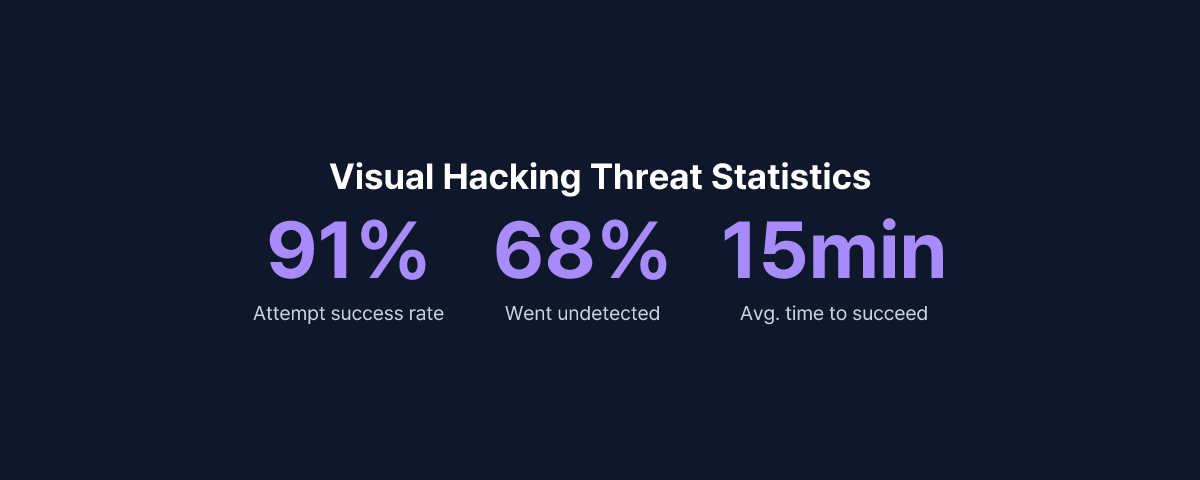
"91% of all visual hacking attempts were successful, and 68% were not detected by anyone." — 3M Global Visual Hacking Experiment
Which Industries are Particularly Vulnerable?
Visual hacking does not discriminate by industry, but the following sectors require special attention.
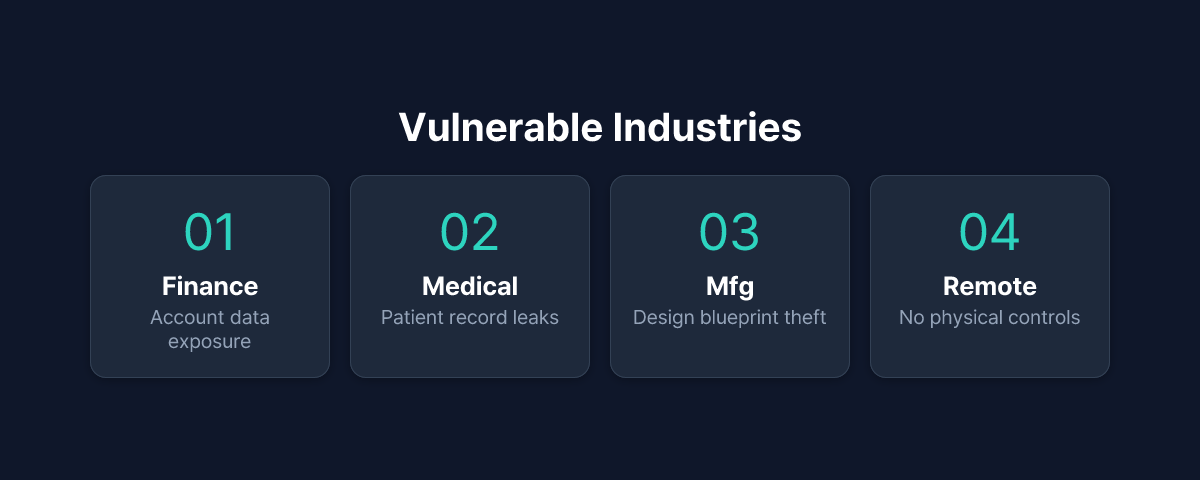
Finance and Insurance
Customer account information, portfolios, and transaction details are frequently exposed on screens. The risk increases in environments like call centers where open seating is common and visitor traffic is adjacent to work spaces.
Medical Institutions
Patient diagnosis records, prescriptions, and personal information are often open on monitors. Under medical and personal information protection laws, such information leaks can lead to immediate legal liability.
R&D and Manufacturing
Design drawings, research data, and pre-patent application information are displayed on screens. For industrial spies, a single smartphone shot can lead to an accident where years of research results are handed over.
Remote Work Environments
Employees working from home can expose their screens to family members, visitors, and even participants in video conferences. The fact that there is almost no physical security control compared to an office is a vulnerability.
Why 'Screen Security' Now?
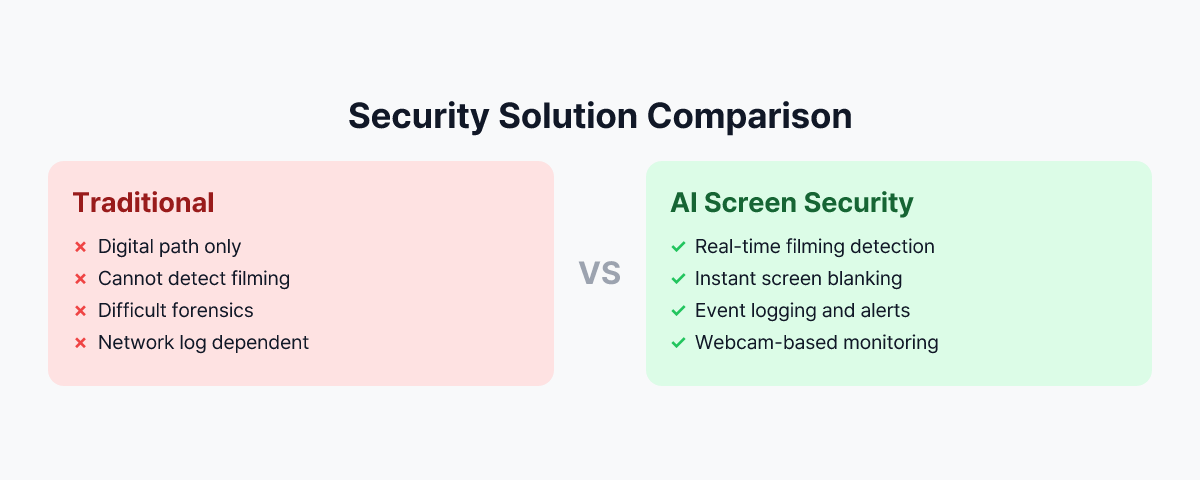
Existing DLP, screen capture blocking, and print output controls are all designed based on digital pathways, failing to stop visual hacking where monitor screens are filmed with smartphone cameras. This is because smartphones are outside the control of endpoint agents or DLP policies, and the act of filming itself does not remain as a network log.
Even in 3M's global experiment results, employees who received security training could not block visual hacking in real-time, and Infosecurity Magazine points out that visual hacking shows a 91% success rate. Considering the Ponemon Institute's insider threat cost report, information leakage through screens is no longer a peripheral issue but a core risk.
Smartphones are outside the control range of endpoint agents, and the act of filming itself does not remain as a network log. This is why visual hacking is the "blind spot of security."
Why Existing Security Solutions Cannot Block Visual Hacking
Digital Channel-Centric Design
DLP, DRM, screen capture blocking, and print output control are all focused on controlling network and disk pathways such as e-mail, messengers, cloud uploads, and USB copying. However, the act of filming a monitor with a smartphone camera does not go through the corporate network, has no hooking point for endpoint agents, and leaves no trace in logs, SIEM, or UEBA.
Limits of Endpoint and DLP Policies
Endpoint agents can only access internal PC events (processes, files, networks, clipboards, capture APIs, etc.). Since a smartphone is a separate independent device, no DLP policy can directly detect or block physical filming behavior.
Limits of Human and Process-Dependent Measures
Security awareness improvement training and Clean Desk Policies depend on the attention, situational awareness, and conscience of employees. 3M experiment results showed that even in environments with security-trained employees, most visual hacking attempts were not detected or blocked in real-time.
For these reasons, visual hacking remains a "Blind Spot" of security, and unlike technical hacking, it is an area where even post-incident forensics is difficult.
Practical Countermeasures Companies Can Take
Visual hacking response requires the simultaneous presence of three pillars: Technology, Process, and Education.
1. Physical Screen Security Measures
- Attaching Privacy Screen Filters
Limit the viewing angle so the screen can only be seen from the front, making it difficult to peek or film from the sides or back. Prior application is recommended especially for lobbies, cafe-style offices, common seats, customer service counters, call centers, and hospital/financial counters.
- Redesigning Seat Arrangement and Monitor Direction
Arrange monitors so they are not directly visible from hallways, entrance doors, windows, or external passages, and adjust them so the back of the monitor does not face visitor traffic, external waiting areas, or meeting room entrances.
- Separating Sensitive Work Spaces
Operate organizations handling high-risk data (Finance, HR, R&D, Security, Strategic Planning, etc.) as security zones physically separated from general seating, and strengthen visibility and traceability in connection with access control, CCTV, and visitor records.
2. Introduction of AI-Based Real-Time Detection Technology
Since visual hacking is a physical filming act, the technology handling it also requires physical space awareness.
By using webcams to monitor the environment around the screen in real-time, AI recognizes patterns where a smartphone camera is pointed at the screen. When a suspicious situation occurs, the screen is immediately blocked (locked or sensitive information is masked), and a notification and event log are sent to the security manager.
MonitorDog is a solution that implements this method.
An agent installed on the employee's PC continuously observes the monitor's surroundings through a webcam, and an AI model analyzes filming patterns such as the shape and angle of the smartphone and the user's hand movements. Upon detection, screen blocking is automatically processed, and notifications and history records are sent to the administrator console.
Through this, it is possible to technically cover the new attack vector of "physical filming" that existing DLP and EPP could not see.
3. Strengthening Security Policies and Education
- Including Visual Hacking in the Security Education Curriculum
Specifically educate on the concept, actual cases, and possible locations of visual hacking, and train employees to recognize and report cases where a smartphone is pointed at a screen at an abnormal angle or when visitors or partners excessively gaze at work screens.
- Clear Separation of Visitor and Work Areas
Physically separate visitor traffic from employee work areas and minimize screens displaying sensitive information in meeting rooms or lounges where visitors are present.
- Screen Security Guidelines for Remote Workers
Arrange screens so they are not exposed to windows, hallways, or family traffic when working from home, cafes, or public spaces, and recommend the use of privacy filters if possible. Establish guidelines to minimize work screen exposure in spaces where family, acquaintances, or visitors are present.
Why You Should Check Screen Security Now
The average annual cost per organization due to insider threats reaches $19.5 million (approx. 25 billion KRW). — Ponemon Institute, 2025
Change in Threat Environment
With the improvement of smartphone camera performance, high-resolution filming is possible even from a distance, and with the spread of open offices and shared offices, other people's screens are easily exposed. Screen exposure in uncontrolled environments is also increasing due to the generalization of remote and telecommuting work.
Attacks that Leave No Logs
Visual hacking leaves no trace in network logs, system logs, or DLP logs. In most cases, it passes without the fact of occurrence being perceived, and since there are limits to post-incident forensics and investigation, building a system for proactive detection and prevention is key.
Increase in Costs for Insider and Proximity Threats
According to the Ponemon Institute's 'Cost of Insider Threats' report, accident costs related to insider and proximity threats are on a continuous upward trend. Visual hacking is an attack vector that can be attempted by anyone physically close, including visitors, partners, and external personnel, not just malicious insiders.
Next Step: Checking in a Real Environment
If you want to check the screen security level of your company's environment, checking the operation in a real work environment is the most certain way.
Review physical measures such as privacy filters, seat arrangements, and zone separation, while simultaneously building a technical defense line against visual hacking attempts through AI-based real-time detection solutions.
Through MonitorDog's free demo, please check for yourself how smartphone filming attempts are detected and blocked in your company's actual environment, and what event logs and notifications are left.
Reference Materials
- 3M & Visual Privacy Advisory Council, "Global Visual Hacking Experiment" (2016)
- Ponemon Institute & DTEX Systems, "2025 Cost of Insider Risks Global Report" (2025)